Some content that you'd like to display in a modal
  • Every Wallet Color on Sale — from $19.99. Ends July 5

  • Free US Shipping On Orders Over $50. Easy Returns.

4.5
Rated 4.5 out of 5 stars
140 Reviews

Slim X3 Bluetooth Backlit Keyboard

Sale price $89.99 Regular price
Unit price  per 

Color - Space Gray

  • Extended layout with macOS function keys in a slim profile
  • Multi-device Bluetooth connectivity switches easily between devices
  • Adjustable backlit keys enhance typing in low-light settings
  • USB-C rechargeable battery supports long-lasting daily use
LEARN MOREJump to product details

Popular Add-On:

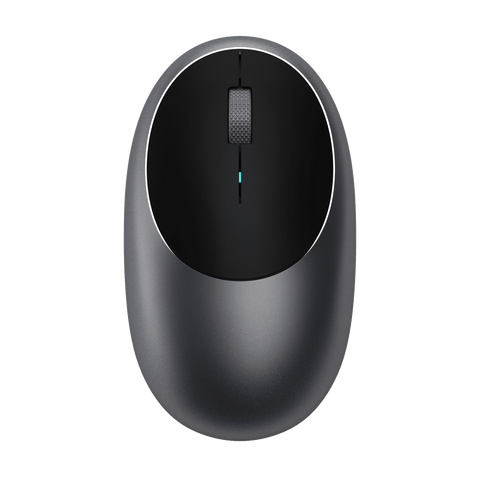
M1 Wireless Mouse Mice Satechi Space Gray
M1 Bluetooth Mouse
$29.99
30 Day Returns
2 Yr Warranty
Free US Shipping Over $50

Slim X3 Bluetooth Backlit Keyboard

Color: Space Gray

Optimized for Mac

The Slim X3 Keyboard

    Type in Style

    Designed with Apple users in mind, the Slim X3 Keyboard features an extended layout with MacOS function keys in an ultra-compact, sleek design that perfectly complements your Apple devices. 

    Person using a computer on a wooden desk with a Satechi Slim X3 Bluetooth Backlit Keyboard alongside an M1 Mouse.
    The Satechi Slim X3 Bluetooth Backlit Keyboard adjustable backlit keys  for typing in low-light settings.

    Convenience at Your Fingertips

    With ten adjustable brightness levels, you can easily customize the keyboard’s backlight to suit your preference and enhance visibility in any environment.  

Multitask in Style

Multi-Device Bluetooth

    Person using a computer while typing on a Satechi Slim X3 Bluetooth Backlit Keyboard in a dark office.
4.5
Rated 4.5 out of 5 stars
Based on 140 reviews
Slide 1 selected
Total 5 star reviews: 103 Total 4 star reviews: 15 Total 3 star reviews: 10 Total 2 star reviews: 6 Total 1 star reviews: 6
140 reviews
  • Donald J.
    Verified Buyer
    3/7/26
    Rated 5 out of 5 stars
    Excellent Purchase

    Easy to connect keyboard with my MacBook Pro. Keyboard fits perfectly where I need it and is not bulky or awkward. Glad I purchased this keyboard.

  • Mark H.
    Verified Buyer
    2/7/26
    Rated 5 out of 5 stars
    X3 slim

    Fast shipment and packaged well. Item paired with my 2020 Mac mini with no issues. Construction of X3 was excellent. The tactile feel was spot on. The charging port was well placed. Ergonomics was excellent.

  • David O.
    Verified Buyer
    1/15/26
    Rated 5 out of 5 stars
    Keyboard

    I love this Keyboard. The only issue I have is that it keeps losing the bluetooth connection.

    I'm using a MacBook Pro 2025

FAQ

The Slim X3 keyboard allows you to pair with up to four devices. You can switch between them by pressing the corresponding Bluetooth button (1, 2, 3, or 4) on the keyboard. Be sure to pre-assign your devices to each desired Bluetooth button.

Weight: 440 grams. Length: 16.65 inches. Height: 4.5 inches. Width: 0.39 inches.

While the Slim X3 keyboard cannot be used for password entry at startup with FileVault enabled, it will work as normal once you log in and the Bluetooth connection is re-established. To avoid issues, you may temporarily disable FileVault or use an Apple keyboard for login purposes.

Yes. The Slim X3 Bluetooth Keyboard is compatible with Windows 10. Pair through Control Panel > Hardware & Sounds > Add A Device (not via standard Bluetooth settings). Note: Some function keys (F1-F12) may not work as they would on Apple devices.

No. The backlight key(s) require communication with a host device to function. Without a paired device, the backlight will not turn on.

SATECHI REWARDS

Join free. Earn points. Save On Gear

Collect points and unlock rewards every time you shop.

{"statementLink":"","footerHtml":" ","hideMobile":false,"hideTrigger":false,"disableBgProcess":false,"language":"en","position":"left","leadColor":"#146ff8","triggerColor":"#146ff8","triggerRadius":"50%","triggerPositionX":"right","triggerPositionY":"bottom","triggerIcon":"people","triggerSize":"medium","triggerOffsetX":20,"triggerOffsetY":20,"mobile":{"triggerSize":"small","triggerPositionX":"right","triggerPositionY":"bottom","triggerOffsetX":10,"triggerOffsetY":10,"triggerRadius":"50%"}}
false